
Sitehound Mapping and GIS Geofencing: How Can Your Business Benefit?
Geofencing with Sitehound's Mapping and GIS capabilities creates virtual boundaries that automate alerts and actions based on asset location.
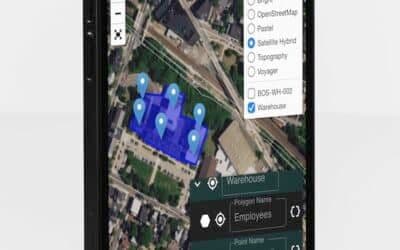
What is Geofencing?
Geofencing creates virtual boundaries around physical locations on a digital map. When a tracked asset enters, exits, or remains within a geofenced area, the system can trigger automated alerts, log events, or initiate workflows. This simple concept has powerful applications across many industries.
How Sitehound Implements Geofencing
Easy Boundary Creation
Draw geofences directly on the map by clicking to define the boundary. Create circles, rectangles, or custom polygons around job sites, warehouses, customer locations, or restricted areas.
Configurable Triggers
Define what happens when an asset crosses a geofence boundary. Options include email notifications, SMS alerts, automatic status changes, and workflow triggers. Different rules can apply to different asset categories or time periods.
Historical Analysis
Review historical geofence events to understand asset movement patterns, time spent at locations, and compliance with geographic restrictions.
Business Applications
Equipment Security
Receive instant alerts when high-value equipment leaves a job site outside of scheduled hours. Early notification enables rapid response to potential theft.
Fleet Management
Monitor whether vehicles are operating within their assigned territories, arriving at customer locations on schedule, and avoiding restricted areas.
Compliance Enforcement
Some industries require assets to remain within specific geographic boundaries. Geofencing automates compliance monitoring and creates documentation of adherence.
Inventory Control
Geofence warehouse boundaries to automatically log when assets or materials arrive or depart. This supplements manual scanning with automated detection.
Time and Attendance
Verify that equipment and vehicles are present at work locations during scheduled hours. Geofence data provides objective evidence of on-site activity.
Getting Started
Begin with your highest-value or highest-risk assets and locations. Create geofences around key facilities and set up alerts for after-hours movement. As you become familiar with the capabilities, expand geofencing to additional use cases that benefit your operations.