
Automate Actions: Scan First
Scanning-first workflows trigger automated actions based on barcode or RFID scans, eliminating manual steps and ensuring consistency.
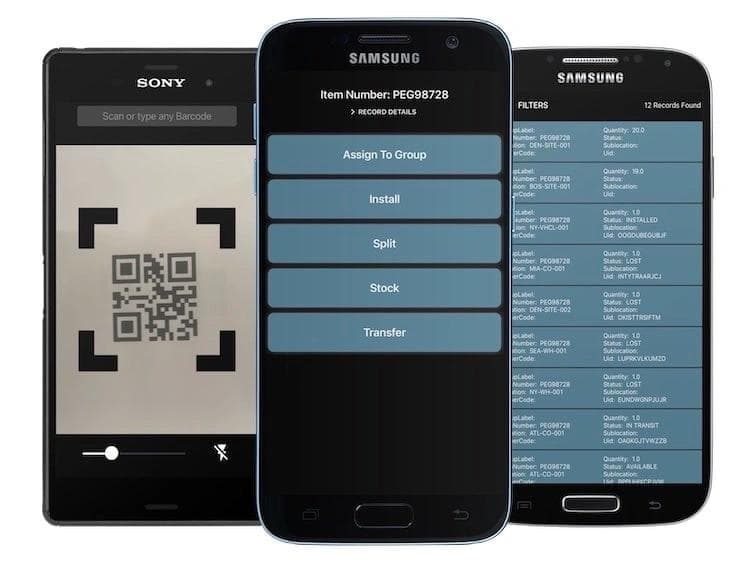
The Scan-First Philosophy
What if a single scan could trigger an entire workflow? Instead of scanning an asset, then manually updating its status, then notifying the next person, then logging the event, a scan-first approach automates all the downstream actions from a single scanning event.
How It Works
Define Your Triggers
Configure what should happen when specific types of scans occur. A check-out scan might update the asset status, assign it to a user, record the timestamp, and notify a manager. A maintenance scan might create a work order, update the asset status, and add the event to the maintenance log.
Scan and Go
Once triggers are configured, the user simply scans the barcode or RFID tag. The system handles everything else. This reduces the time per transaction from minutes to seconds and eliminates the inconsistencies that come from manual multi-step processes.
Review and Adjust
Monitor automated actions through audit logs and dashboards. Adjust trigger configurations as your processes evolve. The flexibility to modify automations without developer support means the system adapts to your changing needs.
Benefits of Scan-First Automation
Speed
Transactions that previously required multiple screens and manual entries now happen with a single scan. Multiply this time savings across hundreds of daily transactions.
Accuracy
Automated actions execute the same way every time. There is no risk of skipping a step, entering wrong data, or forgetting to notify someone.
User Adoption
Simple, fast processes encourage consistent use. When staff see that scanning makes their work easier rather than adding burden, adoption follows naturally.
Data Quality
Every automated action is logged with complete details. The result is comprehensive, accurate records that support reporting, compliance, and analysis.
Getting Started
Identify your highest-frequency workflows and implement scan-first automation for those first. As staff experience the efficiency gains, expand automation to additional processes.